Agent orchestration
Transformed complex and disconnected workflows into an opinionated orchestration system with ready-to-use, customizable flows. Made sophisticated automation accessible to non-technical GTM teams without sacrificing power-user capabilities.

Overview
My Role
Founding designer. Owned end-to-end from concept to launch: research, design, and strategy. Worked directly with CEO and 2 engineers.
The Challenge
When I joined Seam, we had powerful AI agents but they were completely disconnected. Users manually chained them together, reconfiguring at every step. Sales demos took 2 hours just to show how the pieces fit.
Timeline
- Q2 2025 (Scoping and prototyping)
- Q3 2025 (Initial launch)
- Q4 2025- Q1 2026 (Continuous updates)
Outcome
- Cut demos from 2 hours → 30 minutes
- Directly contributed to acquiring > $500,000 ARR
Context
Seam AI is building an AI-native GTM platform
Seam AI is a seed-stage (BVP-backed) GTM platform that automates sales workflows through AI agents. When I joined, these agents were separate tools. Each one solved part of the problem—finding companies, prospecting contacts, enriching data—but users had to manually stitch them together.
Problem and Opportunity
Fragmented Agents = Fragmented Sales Motion
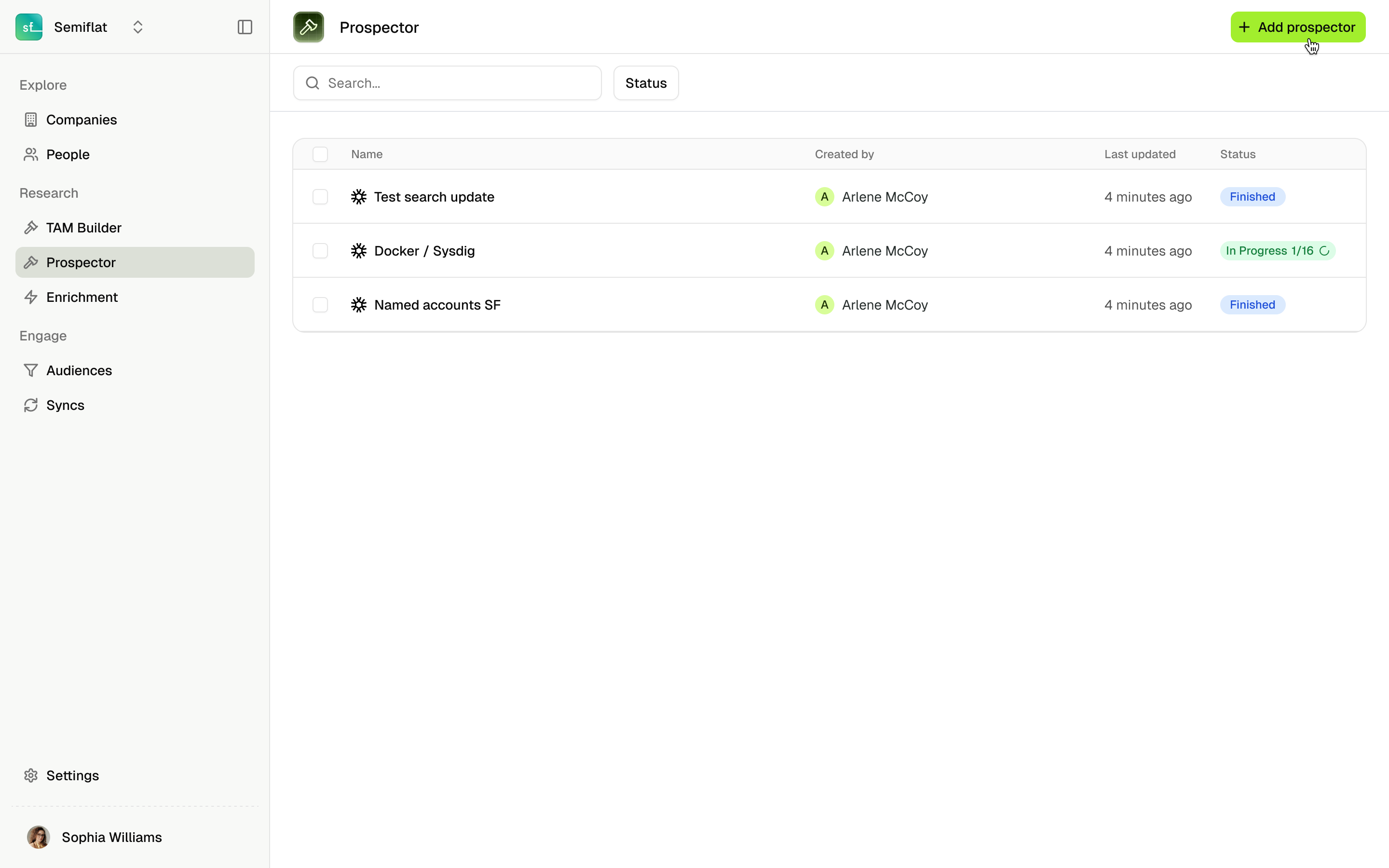
What users dealt with
- TAM Builder → find companies → save
- Prospector → load saved list → find people → save
- Enrichment → load again → get contact info

Why this killed our sale
- Demos took 2 hours (explaining how pieces connect)
- We sold features, not solutions
- Prospects couldn't see the value
We needed to sell "plays"not disconnected agent
A play = audience in → automated workflow → enriched prospects out.
Research
From Agents to Agent Use Cases
Talking with our customers, we realized: the product isn't the agents. It's the orchestration.
There is Agent Orchestration that chains multiple AI agents into automated workflows. There’s also Data Orchestration, which unifies data from existing tech stack through our data model. This became our positioning: "Replace your fragmented stack with unified orchestration."

Design and Iterations
Three design principles
Template-First, Not Blank Canvas
- Sell out-of-box use cases (not DIY workflow builder)
- Users shouldn't need GTM engineering team to configure
- Start with proven workflows, allow customization
Progressive Complexity
- Simple default paths (attach audience → run play)
- Advanced options available but not required
- Non-essential steps skippable for flexibility
Designing trust and control
- Users needed visibility into what each agent does
- Required control points without overwhelming configuration
- Had to balance automation with human oversight
Decision 1: Pre-built templates instead of user-defined workflows
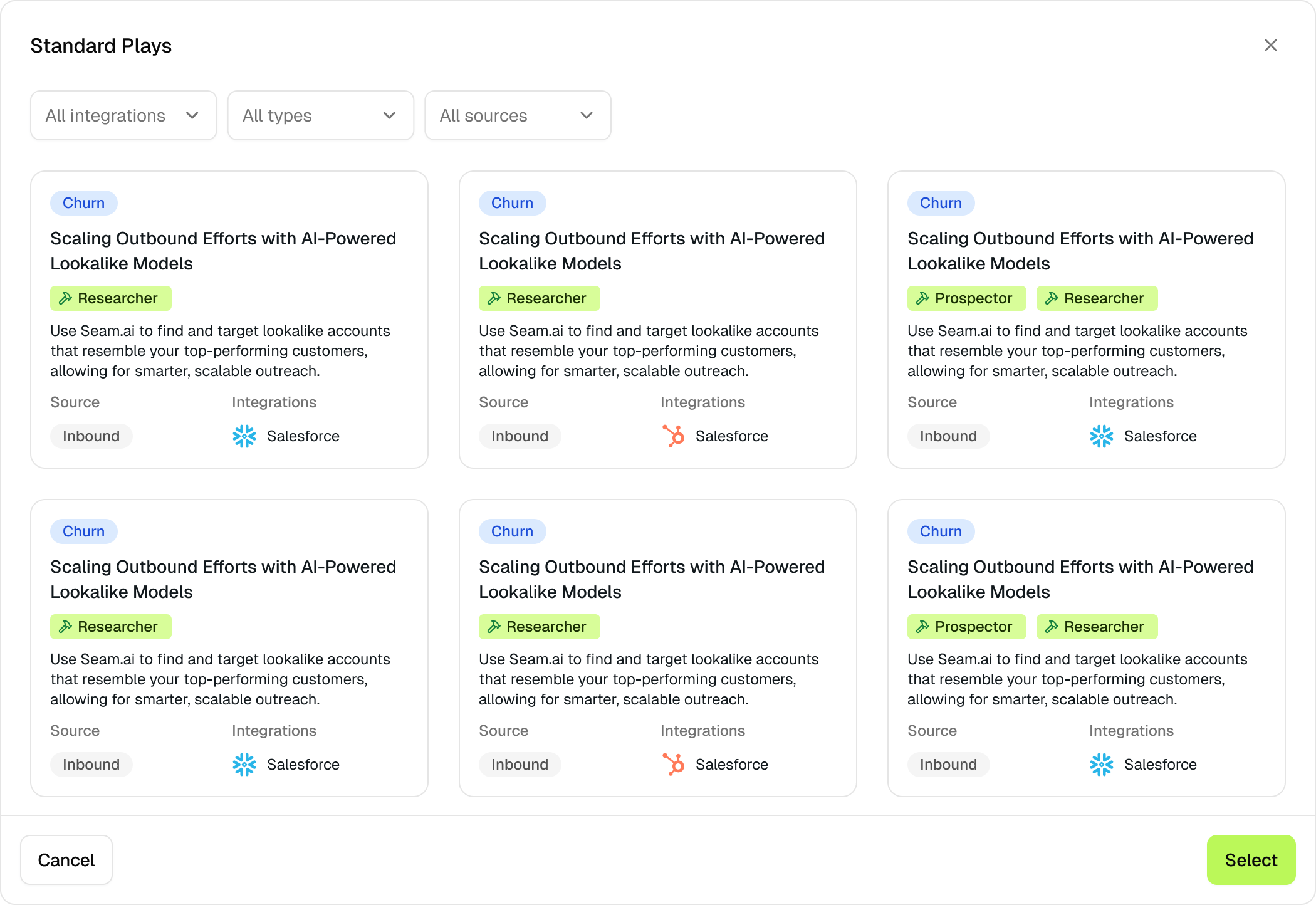
Iteration 1: template library
Iteration 2: template library with more visuals + details
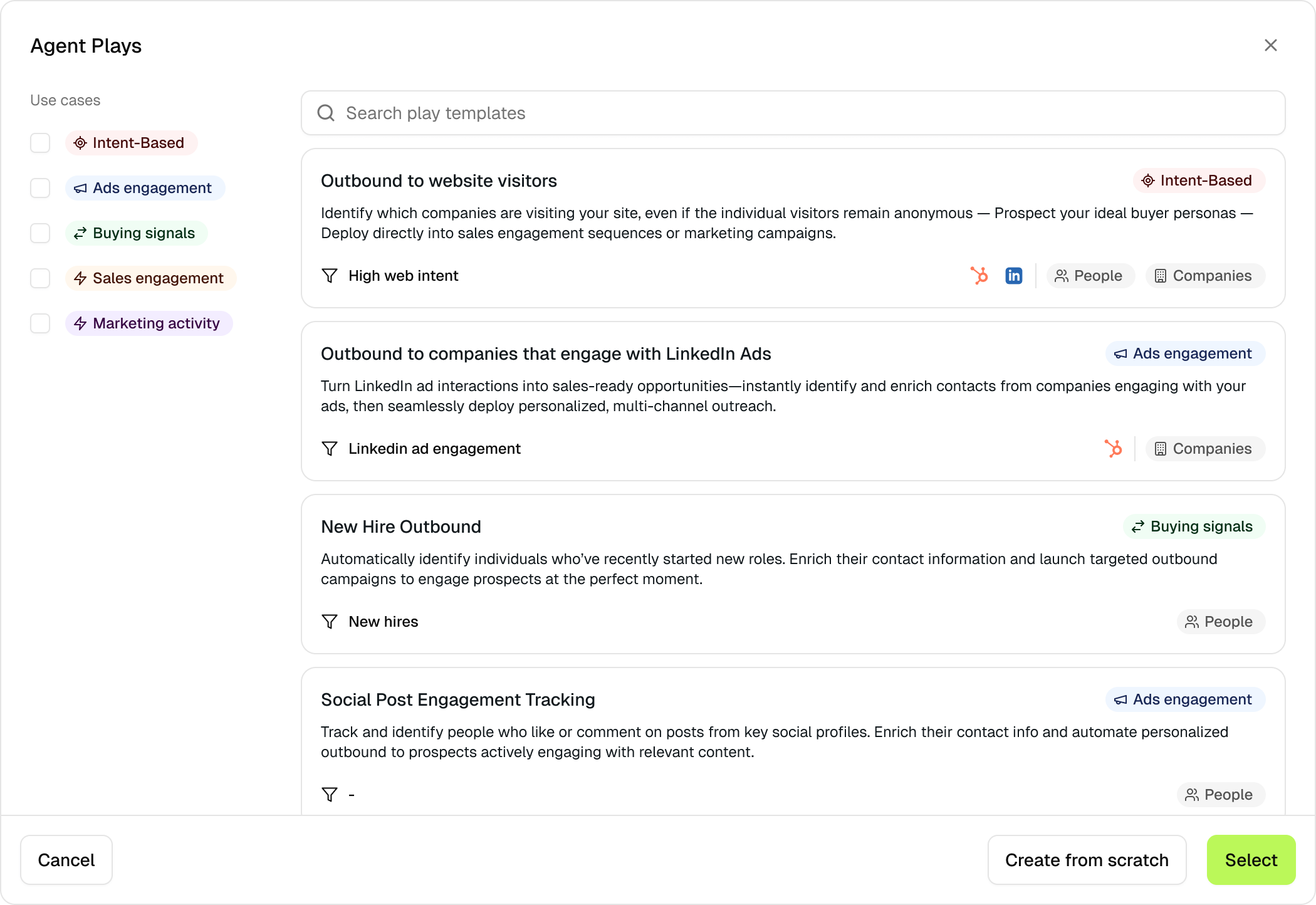
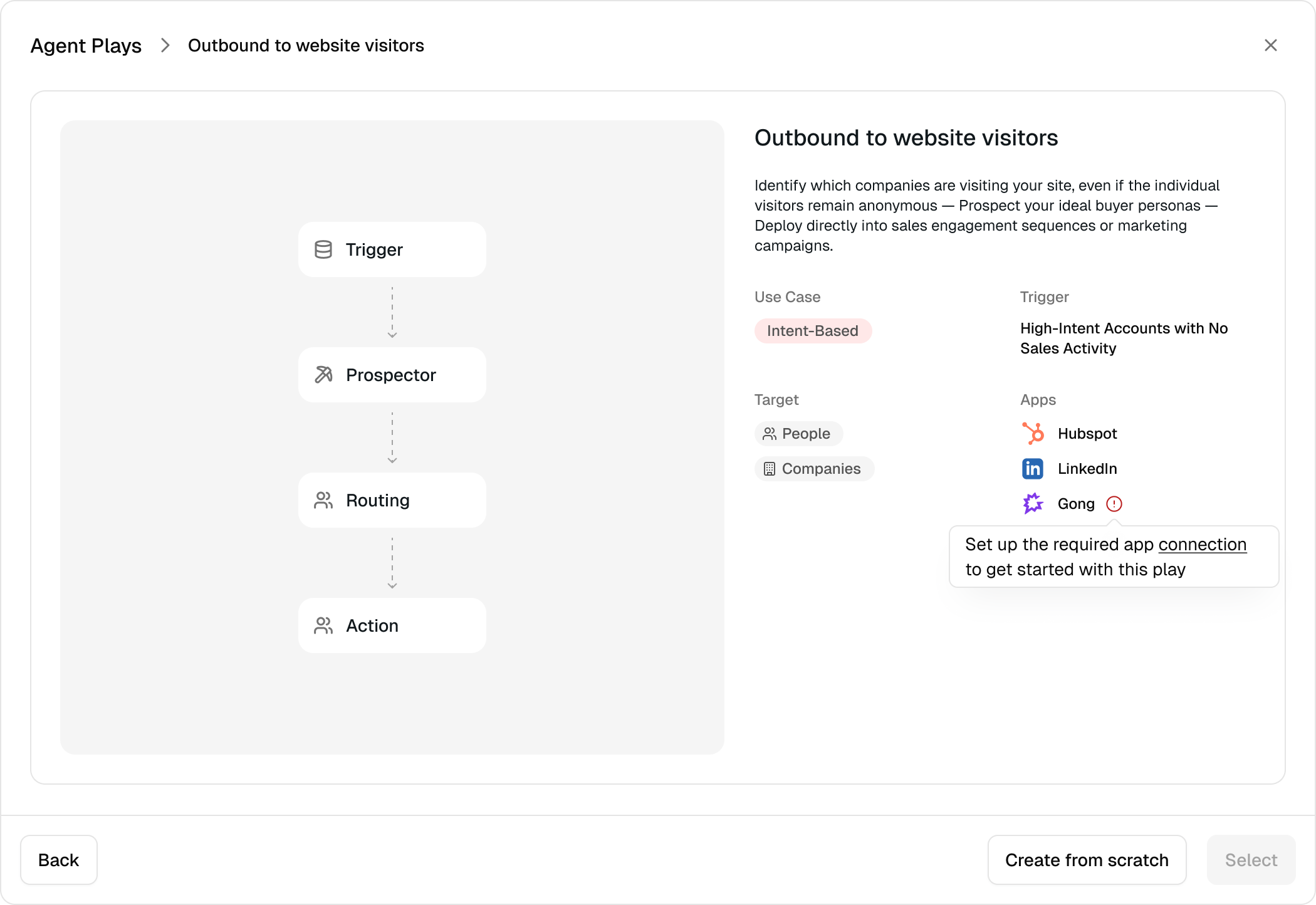
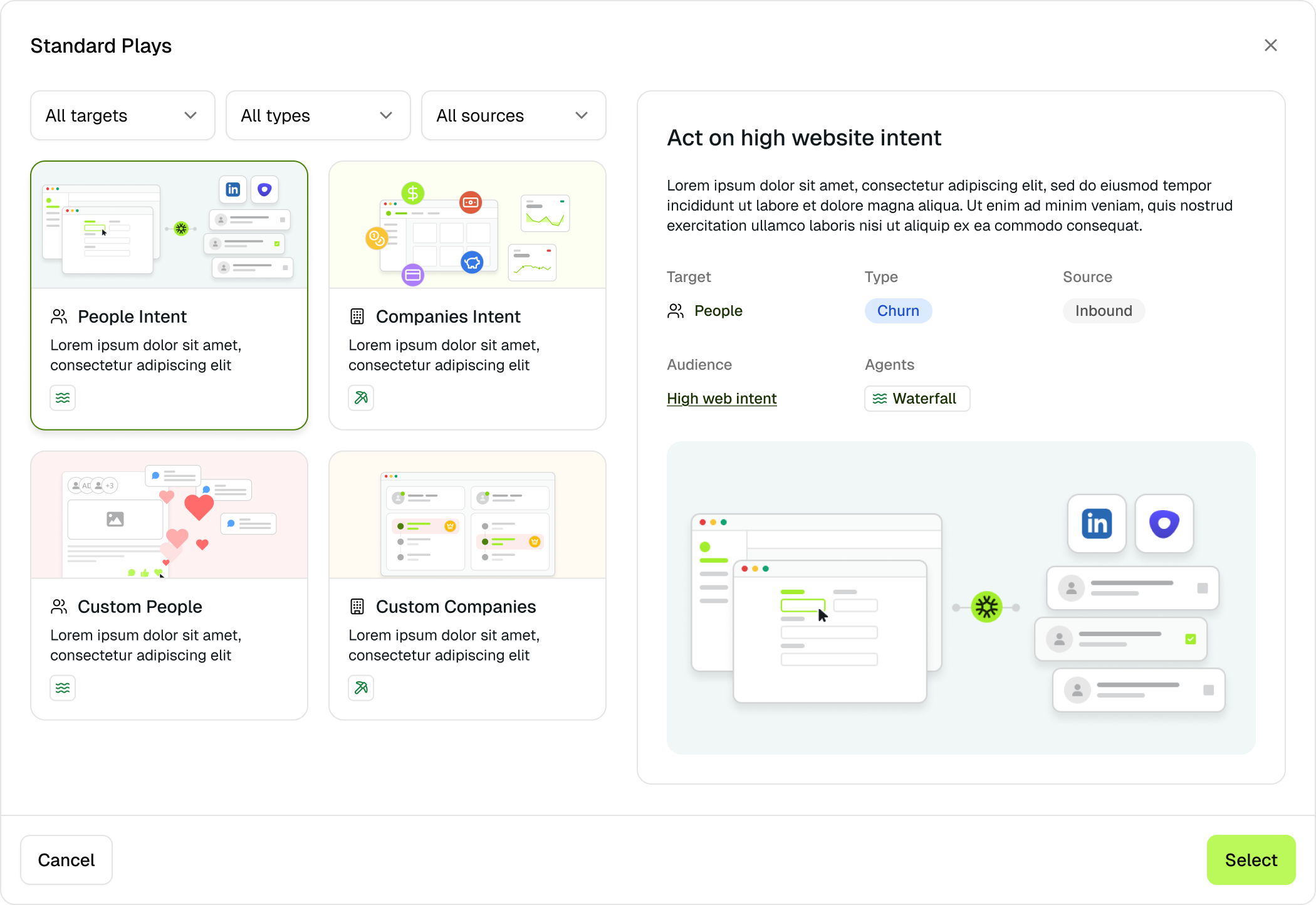
Iteration 3a: clean templates + emphasis on use cases
Iteration 3b: workflow preview + details
The breakthrough: organize by sales motion, not data type. Now users see "Intent-Based" or "Ads Engagement" and immediately know where to look. Click into any template and you see the exact agent flow before committing.
Decision 2: Progressive configuration model of reduce cognitive load
Personas (who to target)
Outside the Play
Routing rules (who to send results)
Action (what to do with prospects)
Global Configuration - the foundation
Inside the Play
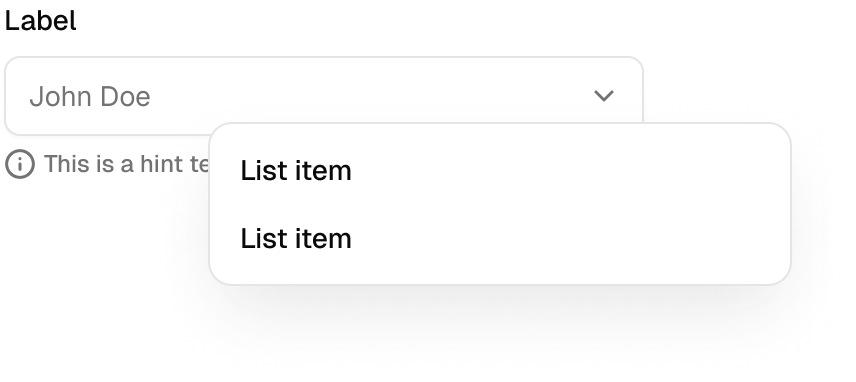
Selecting from drop-downs + ad-hoc tasks
Audience (who to include)
Connections (what channels to use)

Each agent had dozens of parameters. Showing all at once overwhelmed users. I split configuration into two layers. Outside the play: set up reusable pieces like personas, routing rules, audiences, connections, and action templates. Inside the play: select from dropdowns. This separates reusable config from workflow-specific choices.
Decision 3: Agent chain visualization, bringing the clarity of the workflow without a workflow builder
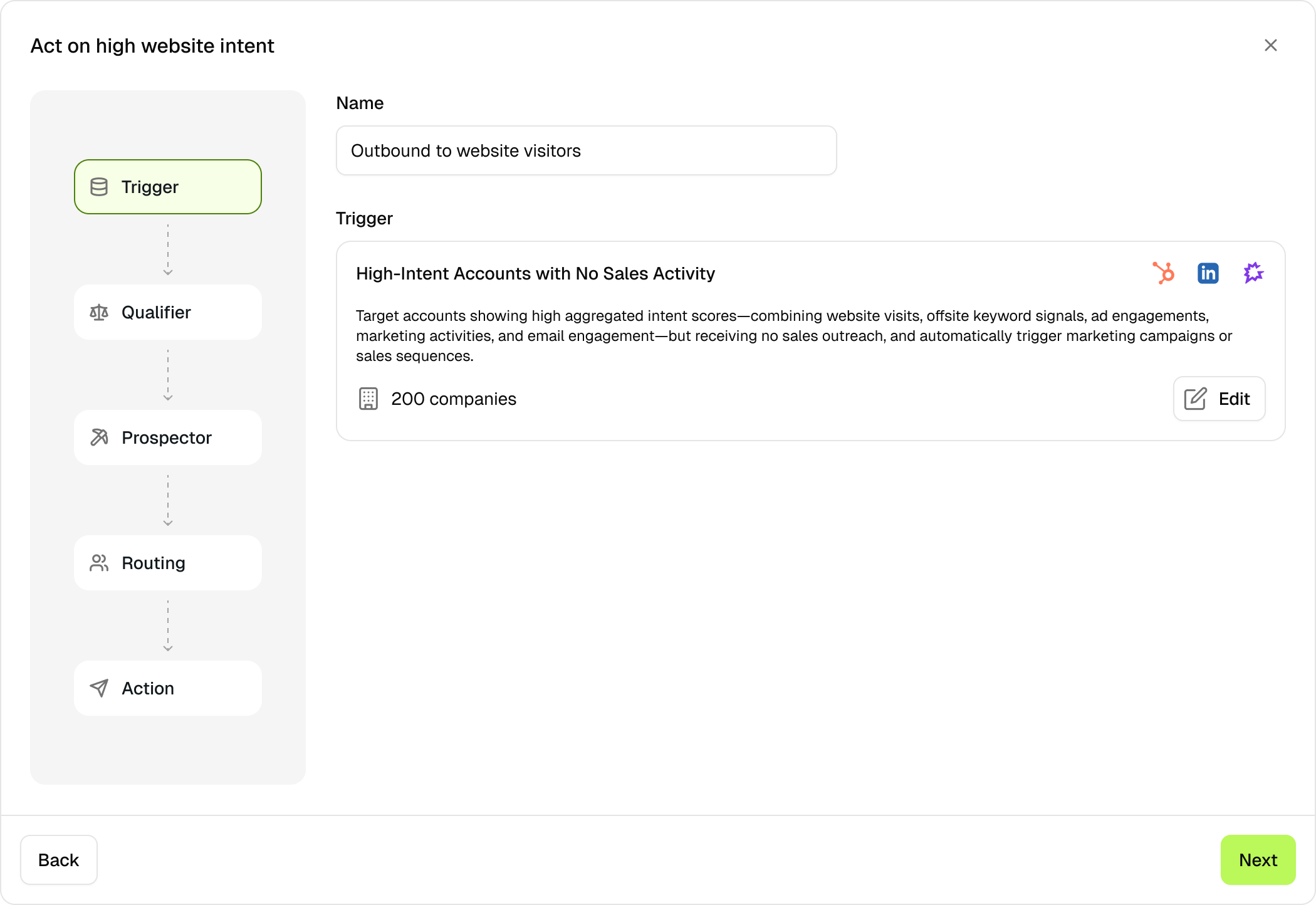
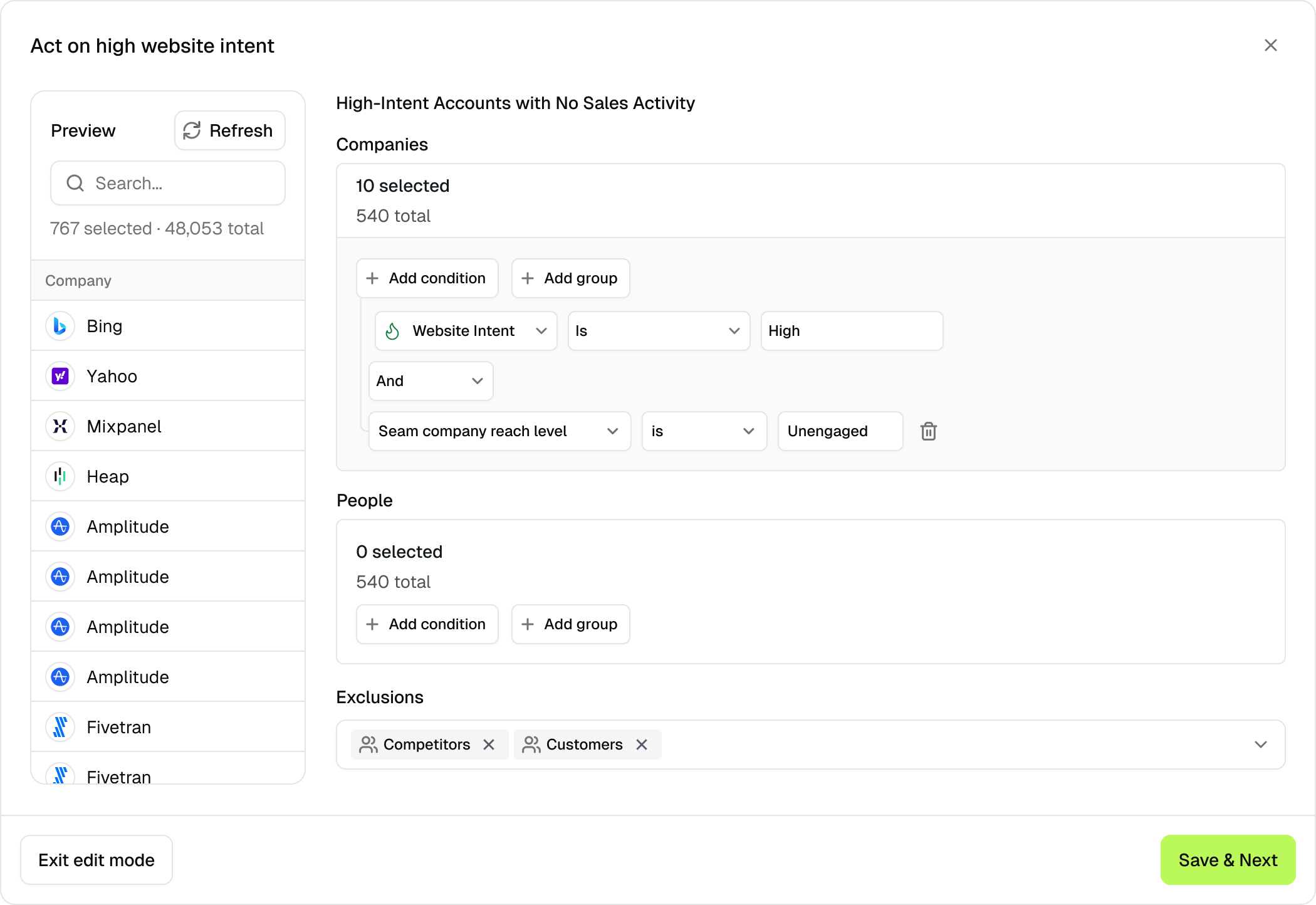
Trigger: New companies enter audience
Trigger: New companies enter audience
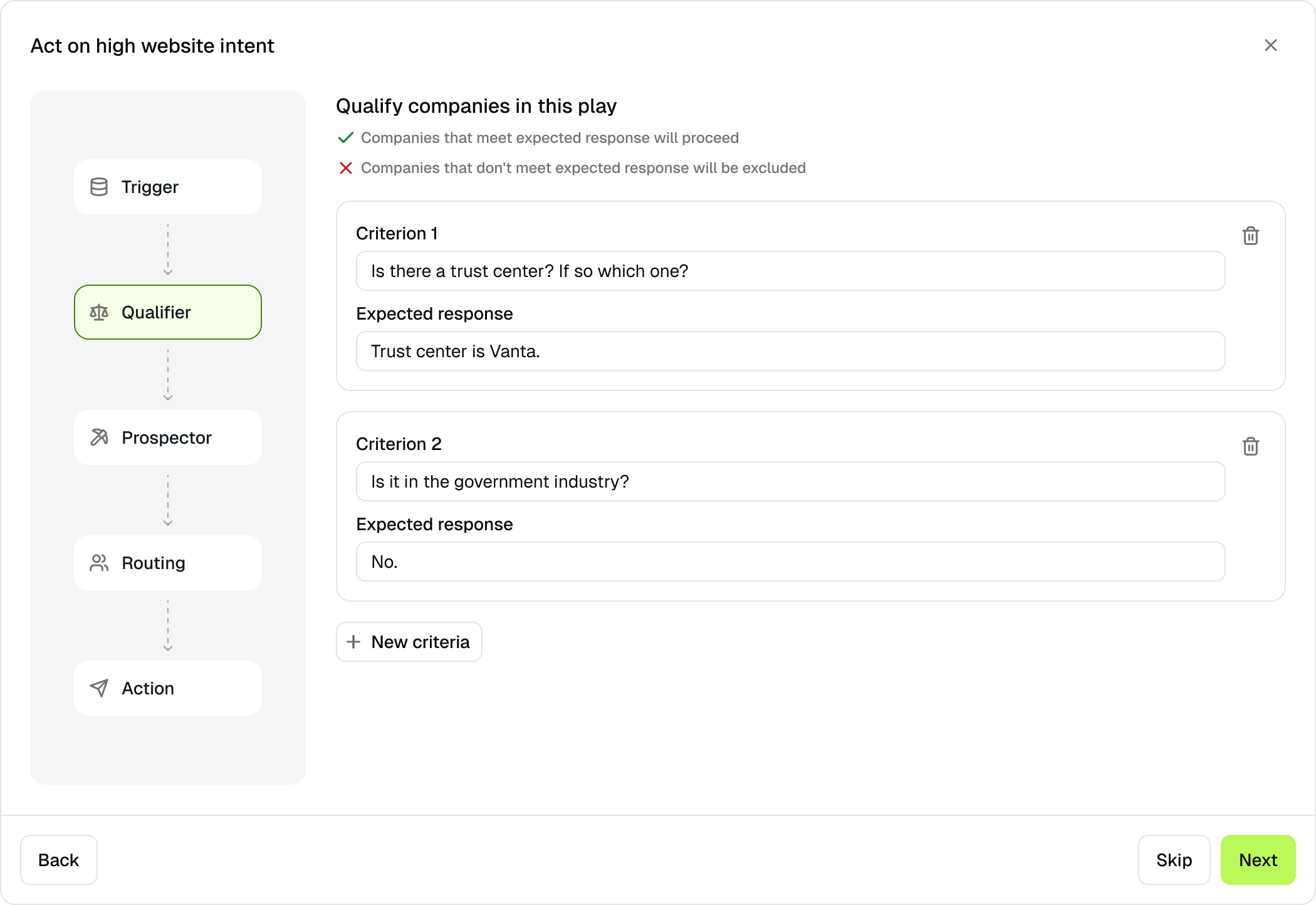
Criteria (optional): filters results
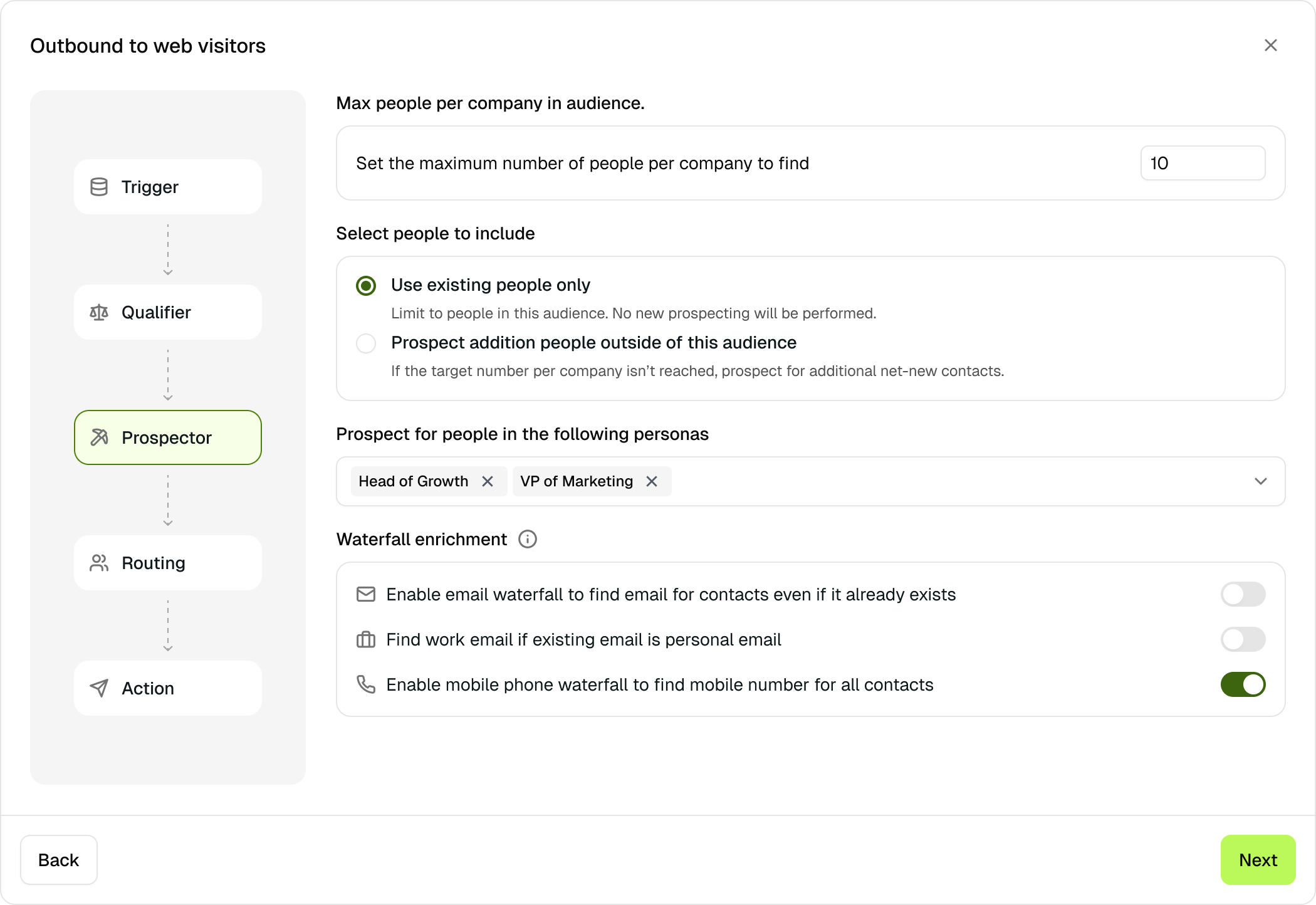
Prospector: Find contacts per company
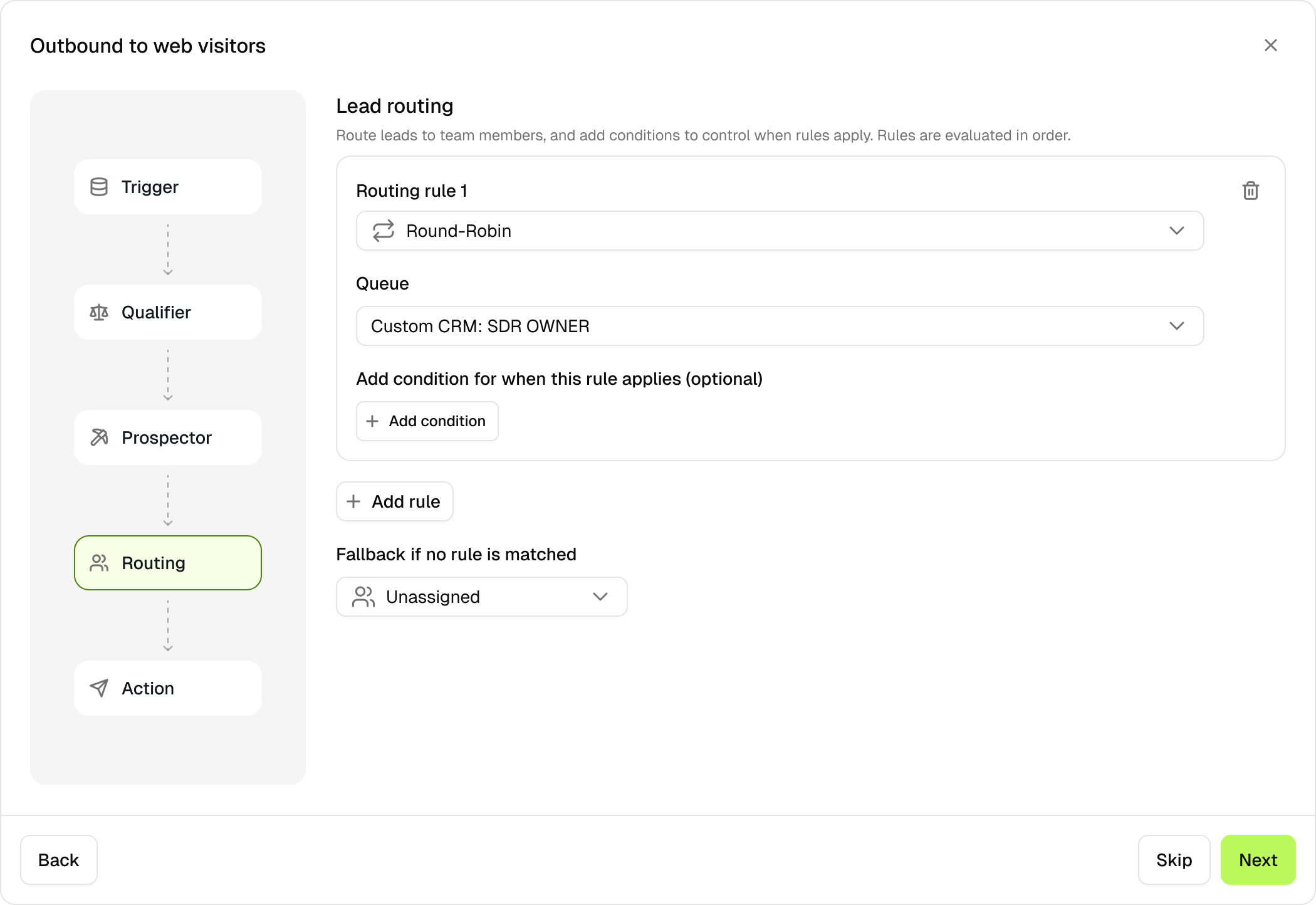
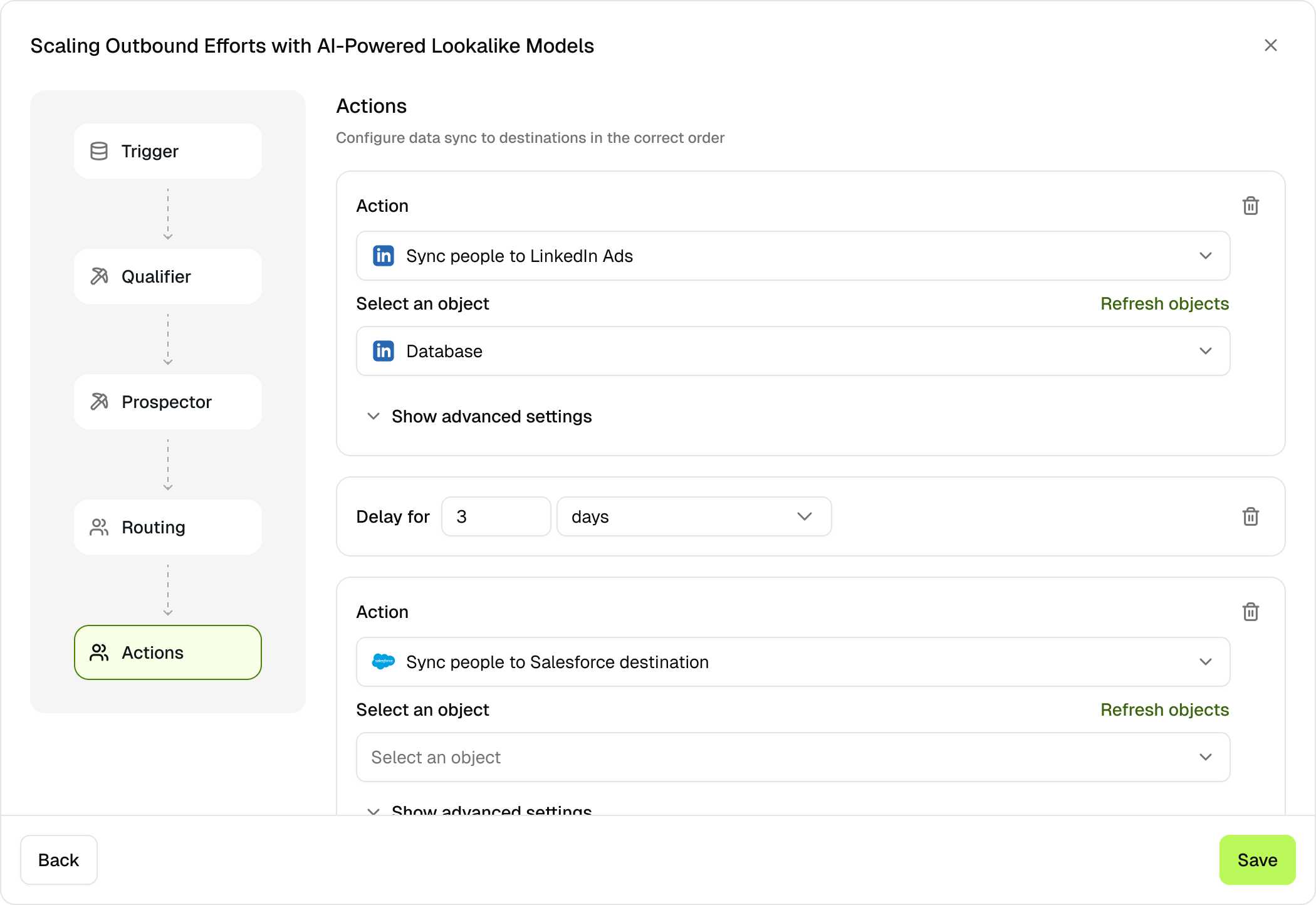
Routing (Optional): Reps to send results
Action: Push to destinations
Multi-agent systems are black boxes. I designed a linear workflow view showing each step: Trigger → Criteria → Prospector → Routing→ Action. Each step expands to show configuration. Visual connections show data flow. Users predict outcomes before running and easily spot errors.
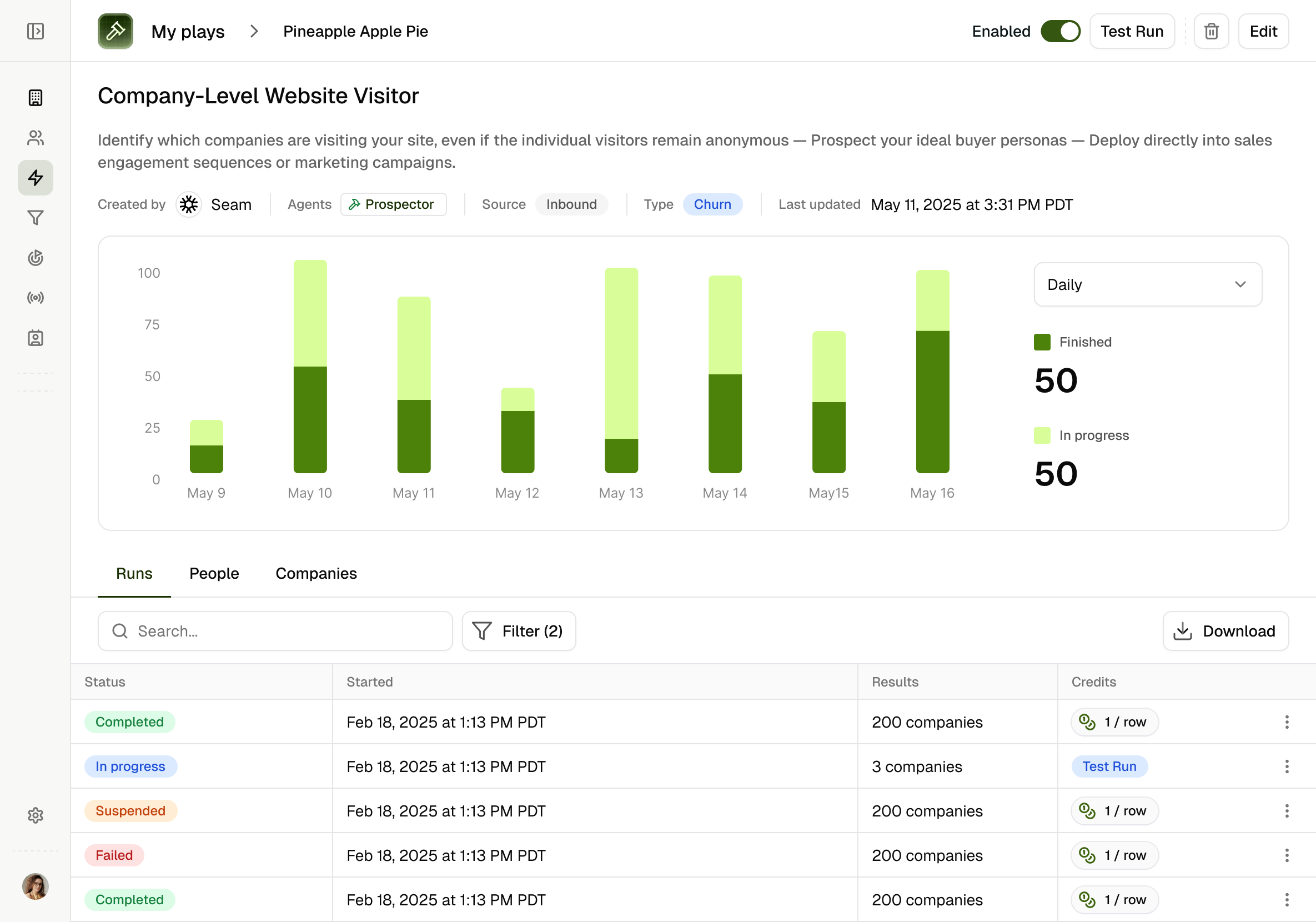
Decision 4: Play Dashboard and run details to provide both high level and drill down
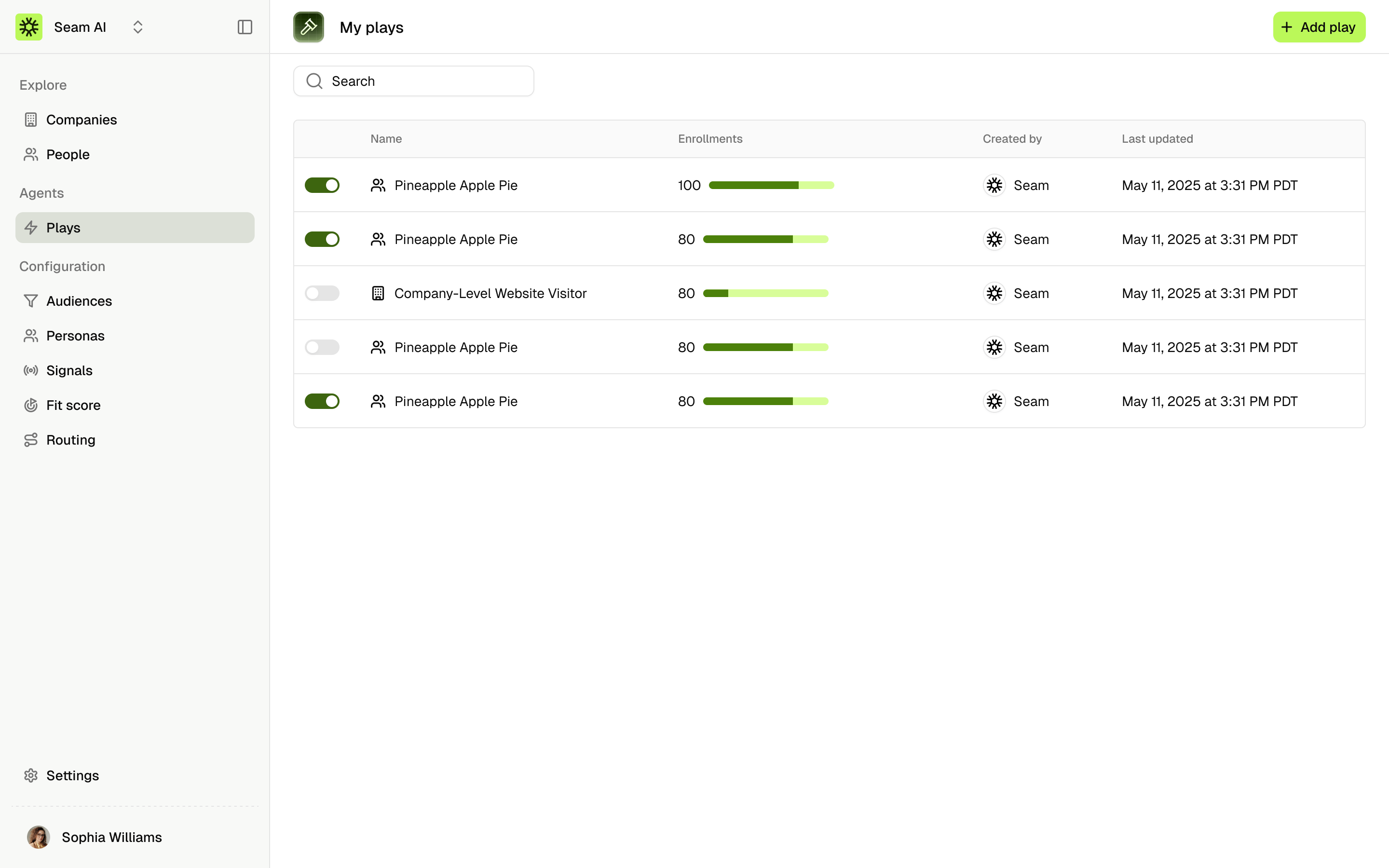
List of all plays
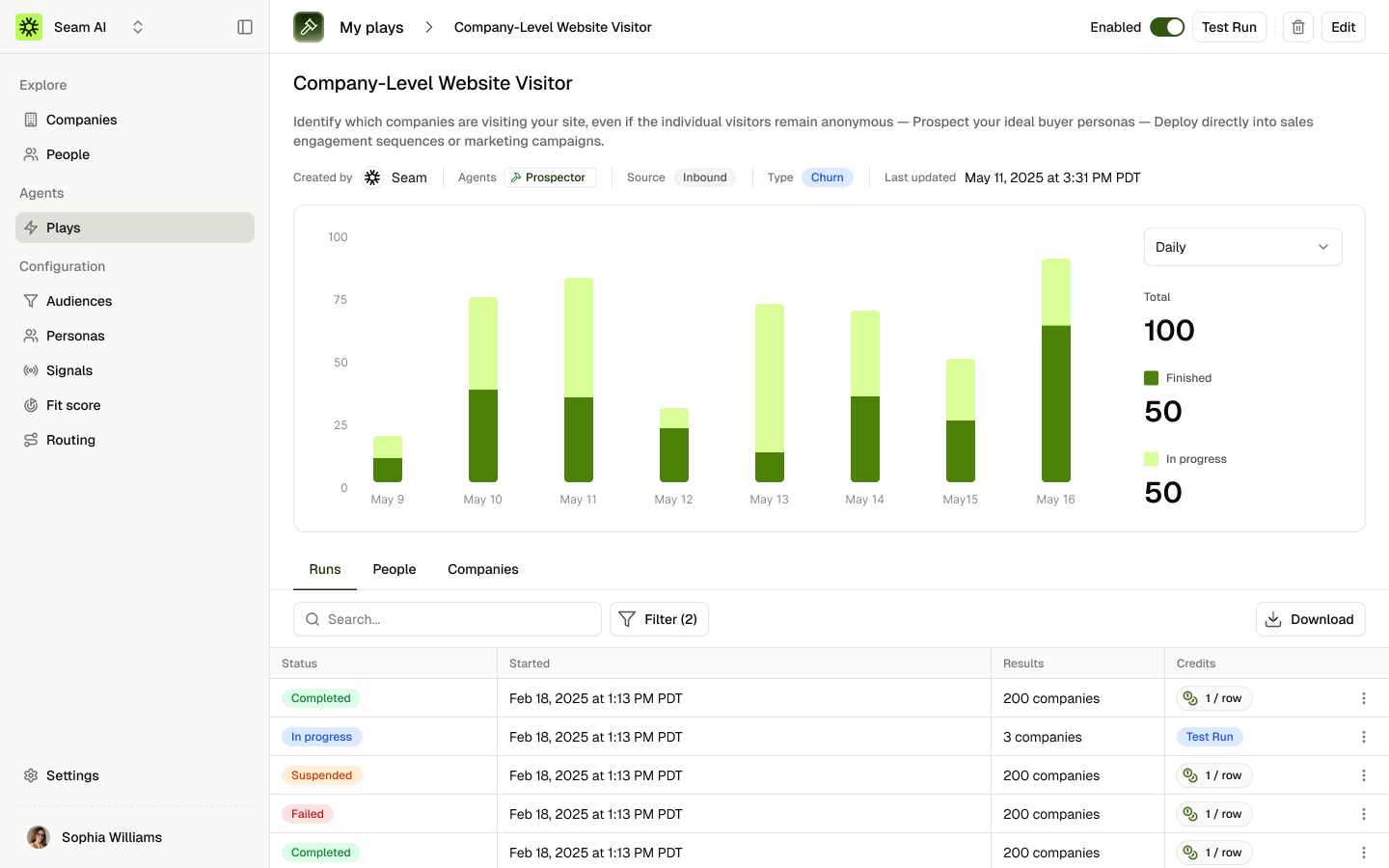
Play run, people and companies dashboard
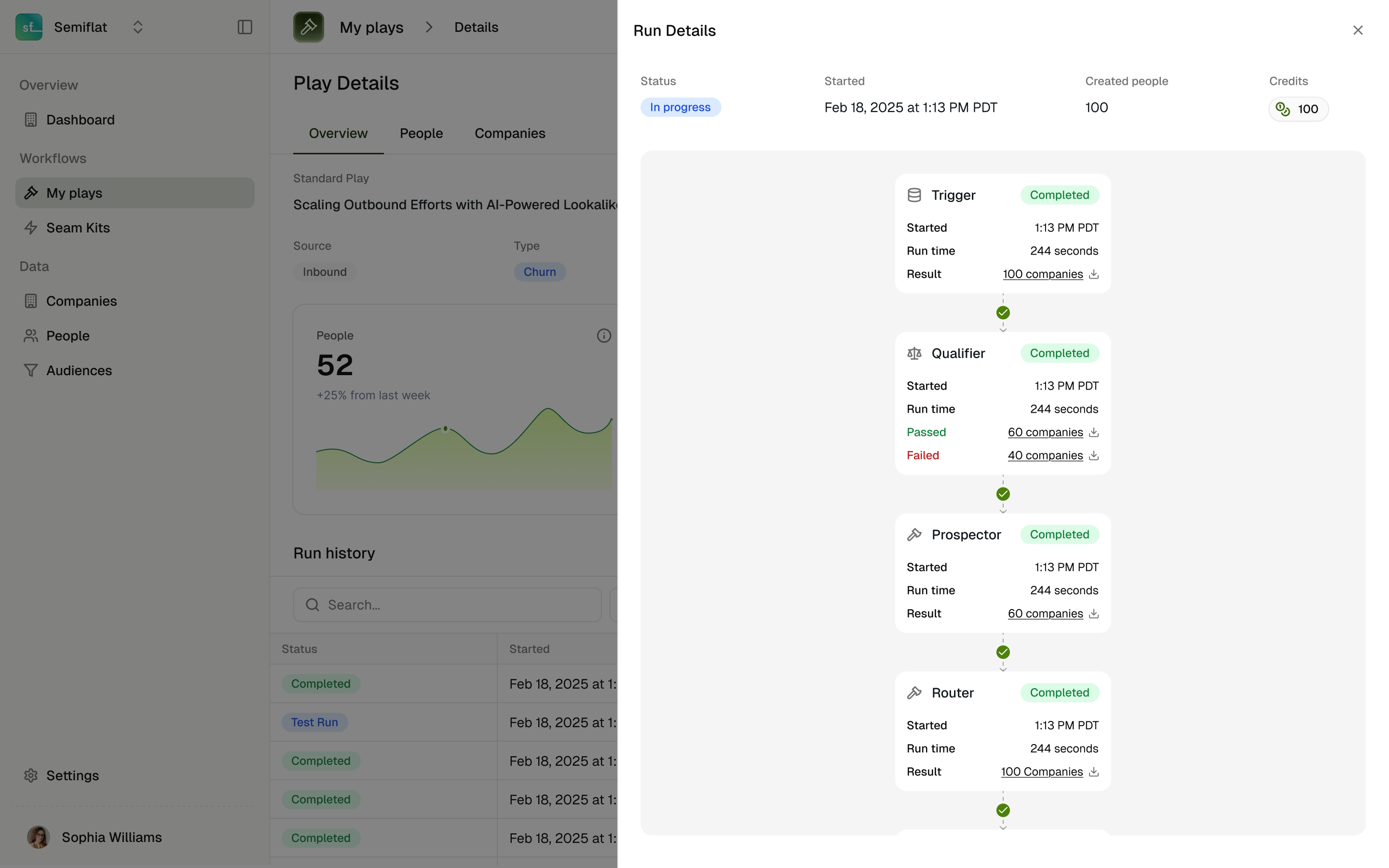
Iteration 1: canvas consistent with play setup
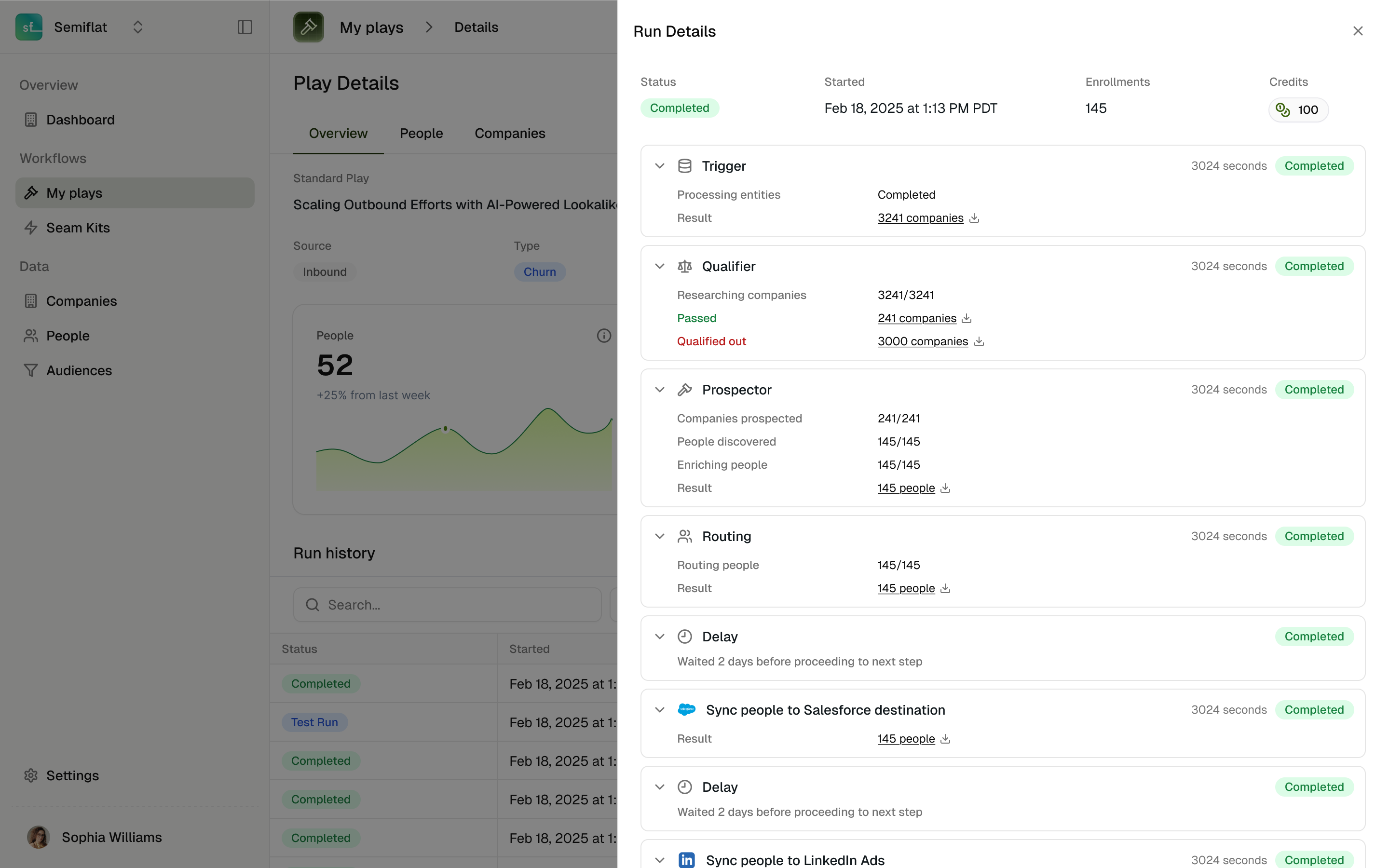
Iteration 2: more scalable and readable logs
Play Details Dashboard has three tabs. Run History shows batch processing status and success rates. People & Companies displays all prospects with enriched data, fully exportable. Active Plays List shows multiple automations with status indicators. Run details show how each audience progressed through the flow. I iterated from a canvas layout to a more scalable log format.
Agent orchestration
Transformed complex and disconnected workflows into an opinionated orchestration system with ready-to-use, customizable flows. Made sophisticated automation accessible to non-technical GTM teams without sacrificing power-user capabilities.

Overview
My Role
Founding designer. Owned end-to-end from concept to launch: research, design, and strategy. Worked directly with CEO and 2 engineers.
The Challenge
When I joined Seam, we had powerful AI agents but they were completely disconnected. Users manually chained them together, reconfiguring at every step. Sales demos took 2 hours just to show how the pieces fit.
Timeline
- Q2 2025 (Scoping and prototyping)
- Q3 2025 (Initial launch)
- Q4 2025- Q1 2026 (Continuous updates)
Outcome
- Cut demos from 2 hours → 30 minutes
- Directly contributed to acquiring > $500,000 ARR
Context
Seam AI is building an AI-native GTM platform
Seam AI is a seed-stage (BVP-backed) GTM platform that automates sales workflows through AI agents. When I joined, these agents were separate tools. Each one solved part of the problem—finding companies, prospecting contacts, enriching data—but users had to manually stitch them together.
Problem and Opportunity
Fragmented Agents = Fragmented Sales Motion
What users dealt with
- TAM Builder → find companies → save
- Prospector → load saved list → find people → save
- Enrichment → load again → get contact info
Why this killed our sale
- Demos took 2 hours (explaining how pieces connect)
- We sold features, not solutions
- Prospects couldn't see the value
We needed to sell "plays"not disconnected agent
A play = audience in → automated workflow → enriched prospects out.
Research
From Agents to Agent Use Cases
Talking with our customers, we realized: the product isn't the agents. It's the orchestration.
There is Agent Orchestration that chains multiple AI agents into automated workflows. There’s also Data Orchestration, which unifies data from existing tech stack through our data model. This became our positioning: "Replace your fragmented stack with unified orchestration."

Design and Iterations
Three design principles
Template-First, Not Blank Canvas
- Sell out-of-box use cases (not DIY workflow builder)
- Users shouldn't need GTM engineering team to configure
- Start with proven workflows, allow customization
Progressive Complexity
- Simple default paths (attach audience → run play)
- Advanced options available but not required
- Non-essential steps skippable for flexibility
Designing trust and control
- Users needed visibility into what each agent does
- Required control points without overwhelming configuration
- Had to balance automation with human oversight
Decision 1: Pre-built templates instead of user-defined workflows
Iteration 1: template library
Iteration 2: template library with more visuals + details
Iteration 3a: clean templates + emphasis on use cases
Iteration 3b: workflow preview + details
The breakthrough: organize by sales motion, not data type. Now users see "Intent-Based" or "Ads Engagement" and immediately know where to look. Click into any template and you see the exact agent flow before committing.
Decision 2: Progressive configuration model of reduce cognitive load
Personas (who to target)
Outside the Play
Routing rules (who to send results)
Action (what to do with prospects)
Global Configuration - the foundation
Inside the Play
Selecting from drop-downs + ad-hoc tasks
Audience (who to include)
Connections (what channels to use)

Each agent had dozens of parameters. Showing all at once overwhelmed users. I split configuration into two layers. Outside the play: set up reusable pieces like personas, routing rules, audiences, connections, and action templates. Inside the play: select from dropdowns. This separates reusable config from workflow-specific choices.
Decision 3: Agent chain visualization, bringing the clarity of the workflow without a workflow builder
Trigger: New companies enter audience
Trigger: New companies enter audience
Criteria (optional): filters results
Prospector: Find contacts per company
Routing (Optional): Reps to send results
Action: Push to destinations
Multi-agent systems are black boxes. I designed a linear workflow view showing each step: Trigger → Criteria → Prospector → Routing→ Action. Each step expands to show configuration. Visual connections show data flow. Users predict outcomes before running and easily spot errors.
Decision 4: Play Dashboard and run details to provide both high level and drill down
List of all plays
Play run, people and companies dashboard
Iteration 1: canvas consistent with play setup
Iteration 2: more scalable and readable logs
Play Details Dashboard has three tabs. Run History shows batch processing status and success rates. People & Companies displays all prospects with enriched data, fully exportable. Active Plays List shows multiple automations with status indicators. Run details show how each audience progressed through the flow. I iterated from a canvas layout to a more scalable log format.